
Finance Process Management with SAP Business One
SAP Business One pulls in bank statements automatically, shows the cash position on one screen, and completes e-Invoice/e-Archive approvals from inside the system. Budget-vs-actual variances become visible by cost center in real time, and the end-of-day close is generated automatically in minutes.
Other Department Solutions
 Finance · SAP Business One
Finance isn't just about managing numbers — it's about shaping the future. Every transaction, every data point, every analysis on one platform.
What does a day look like for the finance team with SAP?
The system runs routine work automatically day and night; your team focuses on analyzing and managing instead of entering data.
Let's Build Your Own Flow- 08:30
Bank statements are pulled in automatically
The e-Statement has synced overnight, so the reconciliation queue is ready to go first thing.
- 09:15
Cash position, on one screen
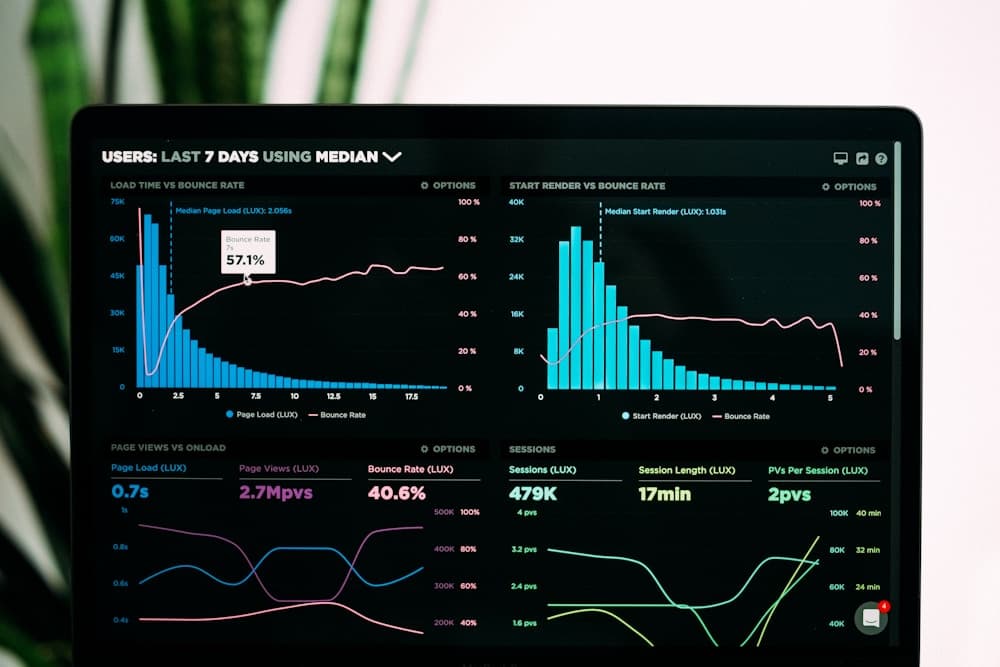
Cash, bank, and check/note balances sit live on the dashboard, so decisions get made without waiting for end of day.
- 11:00
e-Documents clear the queue
e-Invoice and e-Archive approvals are processed in bulk; Revenue Administration (GİB) workflows are completed from inside the system.
- 14:00
Budget-vs-actual review
Variances by cost center show up color-coded; an alert fires whenever action is needed.
- 17:30
End of day, in minutes
The closing report is generated automatically and shared with management — the workday doesn't end with report-writing.
What we solve for finance teams

Eliminates manual errors
Accounting, payment, and reconciliation tasks are automated, structurally eliminating duplicate entries and human error.

Delivers real-time financial visibility
Monitor cash, budget, and cost data live, and make decisions on data, without waiting for end of day.

Simplifies budget and asset management
Fixed-asset tracking, depreciation calculations, and budget controls come together in one panel.

Speeds up transactions with bank integration
e-Statement imports, automatic reconciliation, and check/note processes complete in minutes.

Simplifies analysis and reporting
Get strategic visibility with standard or custom reports; period closes get shorter.
Speed, visibility, and confidence in finance
Automated Accounting
Journal entries, receivables/payables, and integration postings are automated.
Budget & Cash Management
Plan spending and handle budget tracking and cost analysis with ease.
Fixed Asset Tracking
Automates depreciation and asset management; inventory stays current at all times.
Banking & Reconciliation
Checks, transfers, EFT, and bank statement processing come together in one system.
Real-Time Reporting
Instant decision support with profitability, expense, and financial performance analysis.
Audit and Compliance
Recordkeeping discipline, audit trail, and regulatory compliance across every financial process.
Why it makes a difference
Eliminates manual errors
Automates every accounting, payment, and reconciliation process.
Real-time financial visibility
Monitor cash, budget, and cost data live and decide on data.
Budget & asset management
Fixed-asset tracking, depreciation, and budget control in one panel.
Questions finance teams ask
01How does an ERP reduce manual work for the finance team?
Recurring tasks like invoicing, journal entries, and bank reconciliation are handled automatically by the system. Your team spends time analyzing data instead of entering it, and duplicate-entry errors are eliminated structurally.
02How does SAP Business One speed up reporting?
Because all financial data lives in one system, reports are generated instantly without manual compilation. Month-end closes and management reports finish in minutes instead of hours.
03How does cash flow management improve?
Collection dates, upcoming payments, and bank activity are all tracked on one screen. Cash position is visible in real time, so liquidity risks are caught and addressed before they materialize.
04How are accounts receivable and collections managed?
Customer and vendor accounts, open invoices, and due-date tracking are all managed within the system. Automatic reminders and collection workflows keep overdue payments under control and reduce receivables risk.
05Are e-Invoice and e-Ledger processes included?
Yes. With the Solveo e-Transformation package, e-Invoice, e-Archive, e-Waybill, and e-Ledger processes run end-to-end inside SAP Business One, and Revenue Administration (GİB) regulatory updates are applied automatically.
06What insights does it give to management?
Profitability analysis, cost-center spending, budget-vs-actual comparisons, and periodic trend reports are provided as standard. Management decides on real-time data, not intuition.
Modules that add value for the finance team
Let's review your finance processes together
Fill out the form and our expert team will call you the same day to schedule a discovery call.
Discover SAP Business One!
Let's build the solution tailored to your department together. Let's schedule a discovery call.